Tickle - Easter Edition1.4
Publisher Description
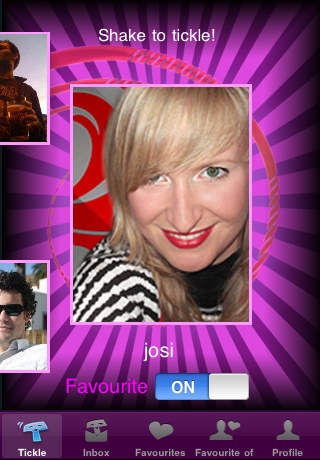
The Tickle Network - We are all happy people :-)
The Easter Edition!
Using the Tickle App you can tickle others.
> Tickle your girlfriend when you're thinking about her.
> Tickle friends when you're bored.
> Tickle strangers to date them.
> Tickle someone wherever he is.
> Tickles are free!
> Tickle is fun!
> Tickle is without any obligation!
> > > Finally: To tickle is just the begining!
The Tickle iPhone Application gives access to the Tickle Network. Everyone in the Tickle Network can tickle each other by shaking the device. You'll be tickled by receiving a message (Push notification) about who tickled you. To use Tickle is free!
To access the tickle network you simply sign up with a name and a picture. As this can be freely chosen you're free to join anonymously with a fantasy profile :-).
Requires iOS 3.0 or later. Compatible with iPhone, iPad, and iPod touch.
About Tickle - Easter Edition
The company that develops Tickle - Easter Edition is Nils Koester. The latest version released by its developer is 1.4.
To install Tickle - Easter Edition on your iOS device, just click the green Continue To App button above to start the installation process. The app is listed on our website since 2010-06-10 and was downloaded 3 times. We have already checked if the download link is safe, however for your own protection we recommend that you scan the downloaded app with your antivirus. Your antivirus may detect the Tickle - Easter Edition as malware if the download link is broken.
How to install Tickle - Easter Edition on your iOS device:
- Click on the Continue To App button on our website. This will redirect you to the App Store.
- Once the Tickle - Easter Edition is shown in the iTunes listing of your iOS device, you can start its download and installation. Tap on the GET button to the right of the app to start downloading it.
- If you are not logged-in the iOS appstore app, you'll be prompted for your your Apple ID and/or password.
- After Tickle - Easter Edition is downloaded, you'll see an INSTALL button to the right. Tap on it to start the actual installation of the iOS app.
- Once installation is finished you can tap on the OPEN button to start it. Its icon will also be added to your device home screen.
